December 2nd, 2025

Platforms: Web, Admin Panel
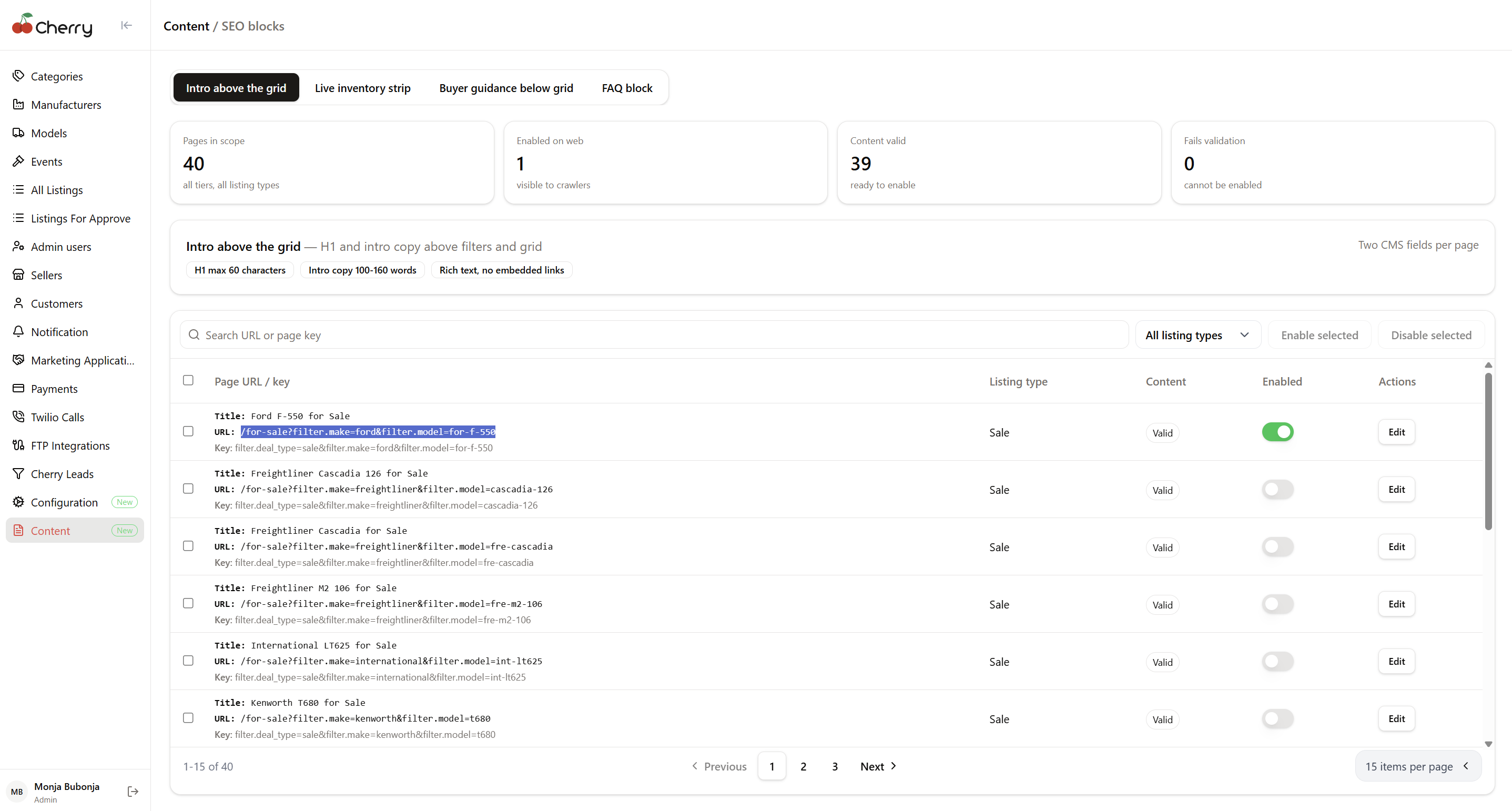
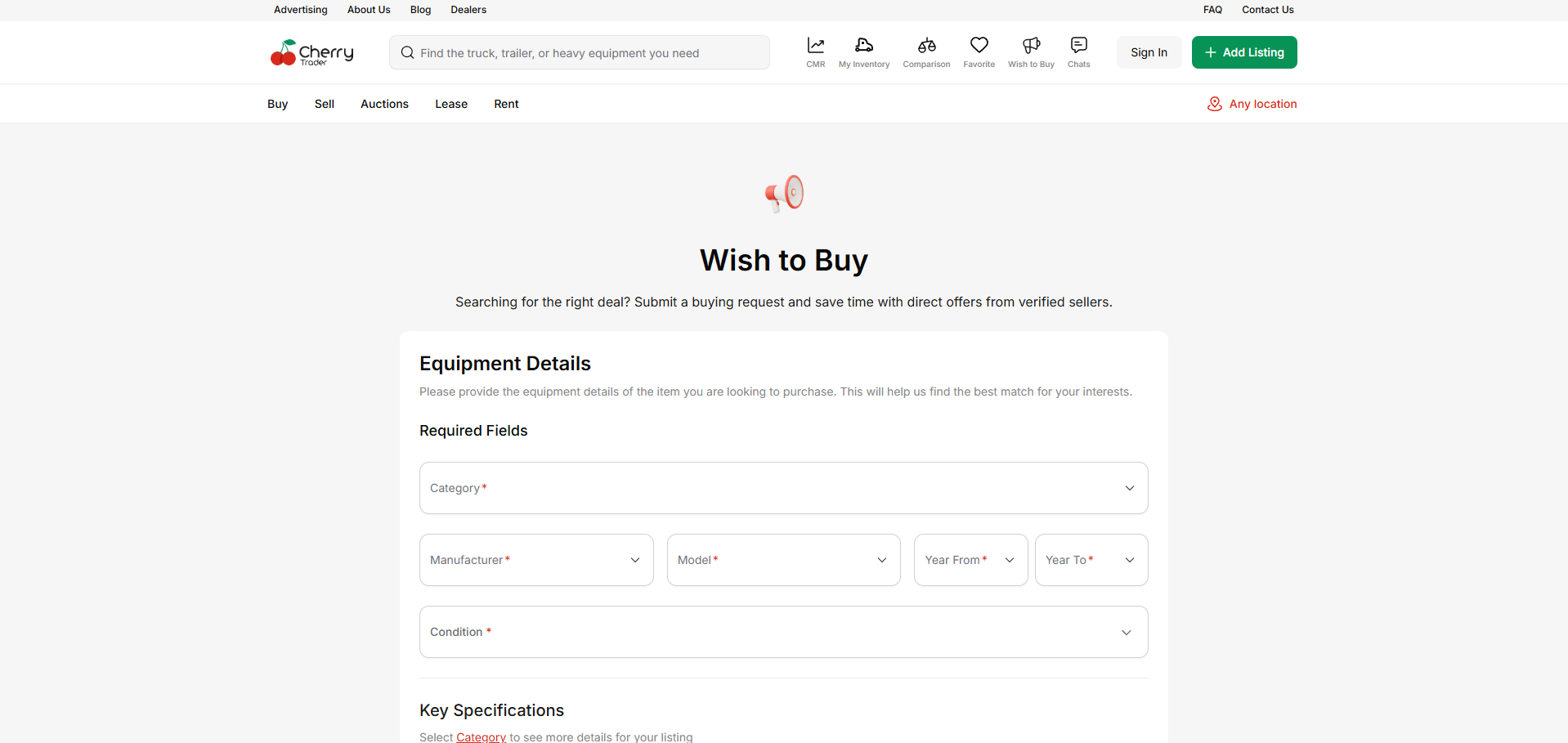
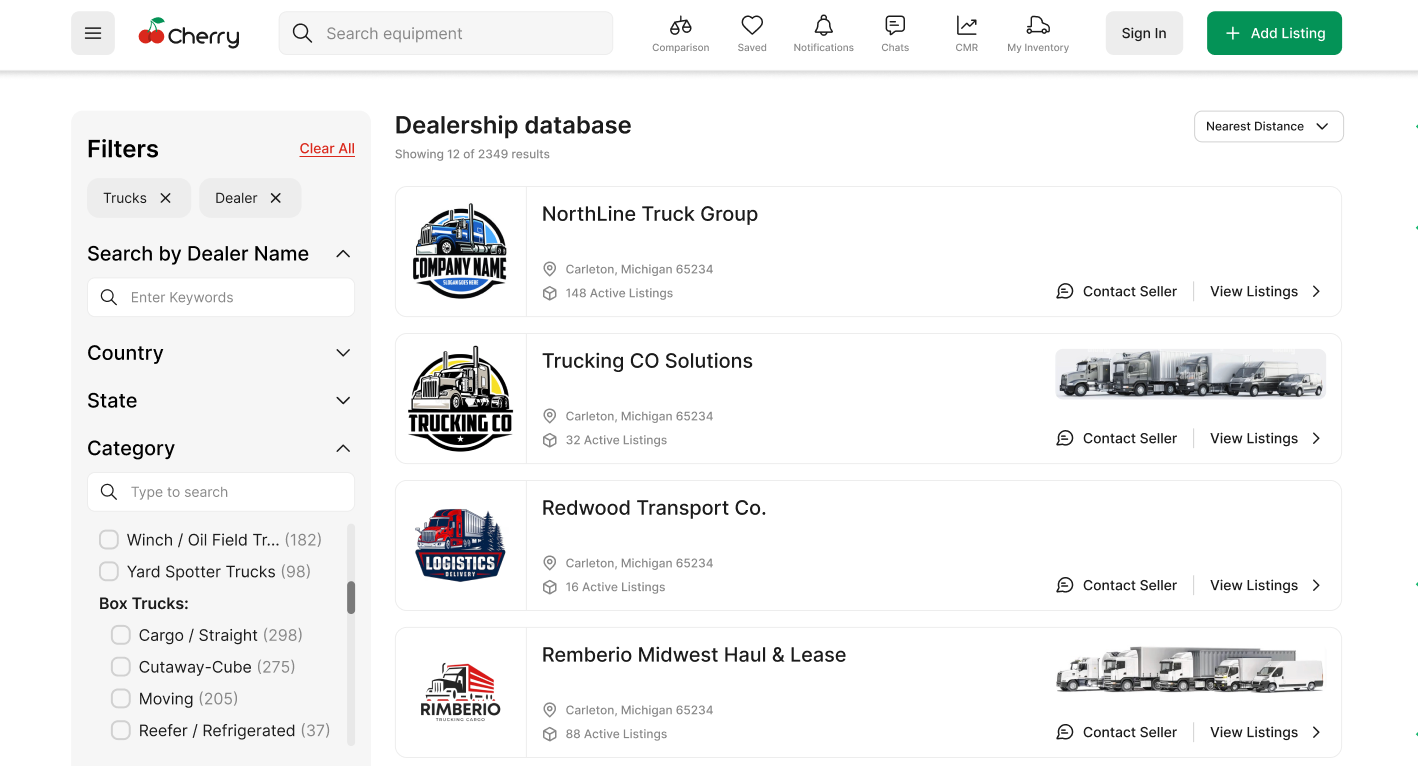
First release of the Dealership Database page.
Allows admins to view dealerships, sellers, and their relationships.
More filters & extended functionality planned for next cycle.
Platforms: Web, iOS, Android
Users can now save listings as drafts without filling required fields.
Validation: at least one field must be filled, or system prevents saving.
Simplifies workflow for dealers and mobile users.
Platforms: Web, iOS, Android
VIN validation restored to prevent duplicates.
Added information popup to educate sellers during listing creation.
Backend duplicate VIN enforcement added.
Platforms: iOS, Android
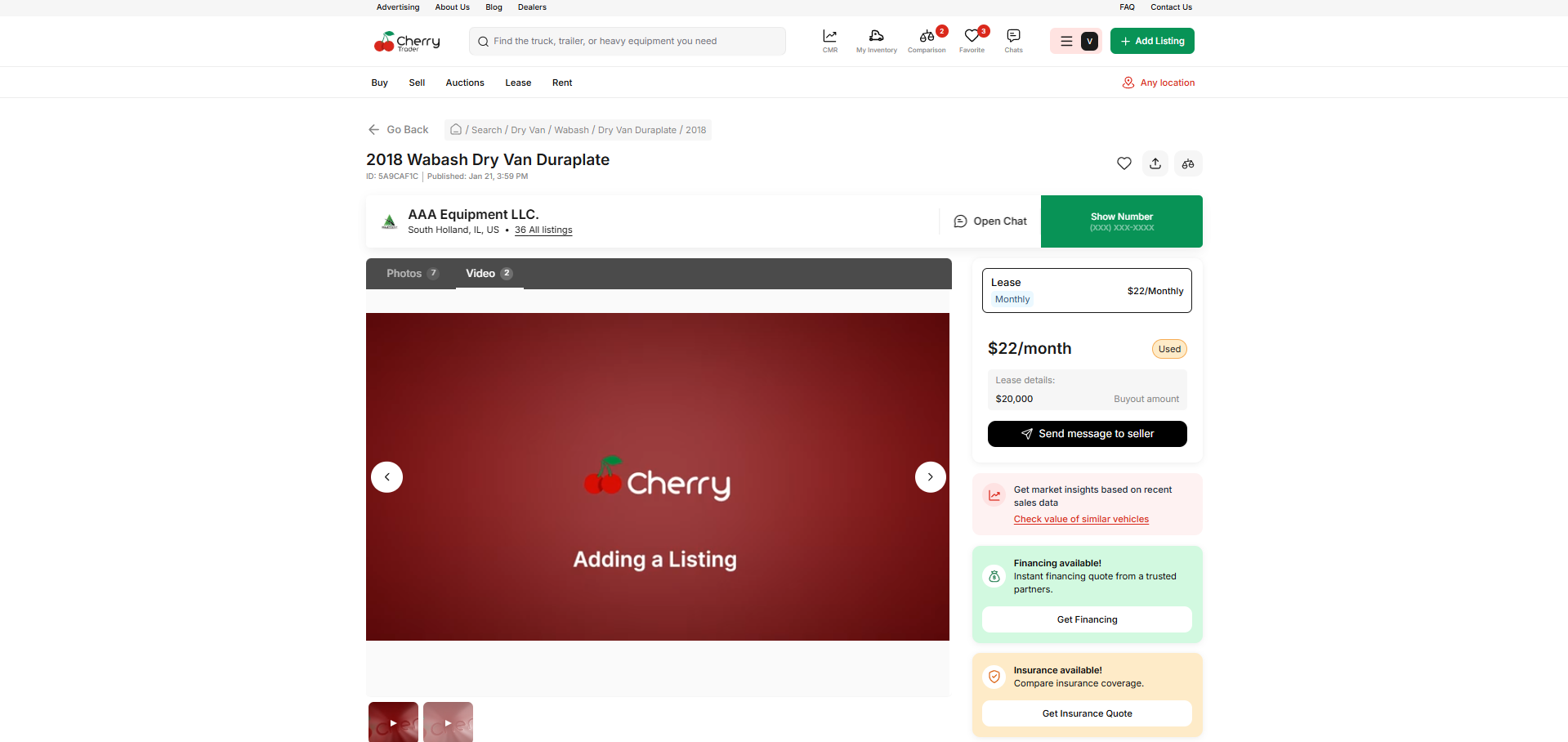
New mini-carousel on listing thumbnails.
Improves preview experience on mobile cards.
Platforms: Web, iOS, Android
New Google Sign-in entry point.
Additional “Sign in with Google” button added for visibility.
Admin panel reflects new user auth source.
Platforms: Web, Android, Backend support
New universal search icon for improved UX consistency.
Platform: Web
Phone numbers now open native dialler.
Increased CTR and mobile behaviour consistency.
Platforms: Web, iOS, Android
Improved logic to show more relevant suggestions based on category and attributes.
Platform: Web
Sort-by logic corrected.
Wishlist count now correctly displays 25 items per page.
Platform: Web (Mobile Version)
Mobile menu updated to show the Comparison page.
Previously missing from hamburger navigation.
Platform: Web
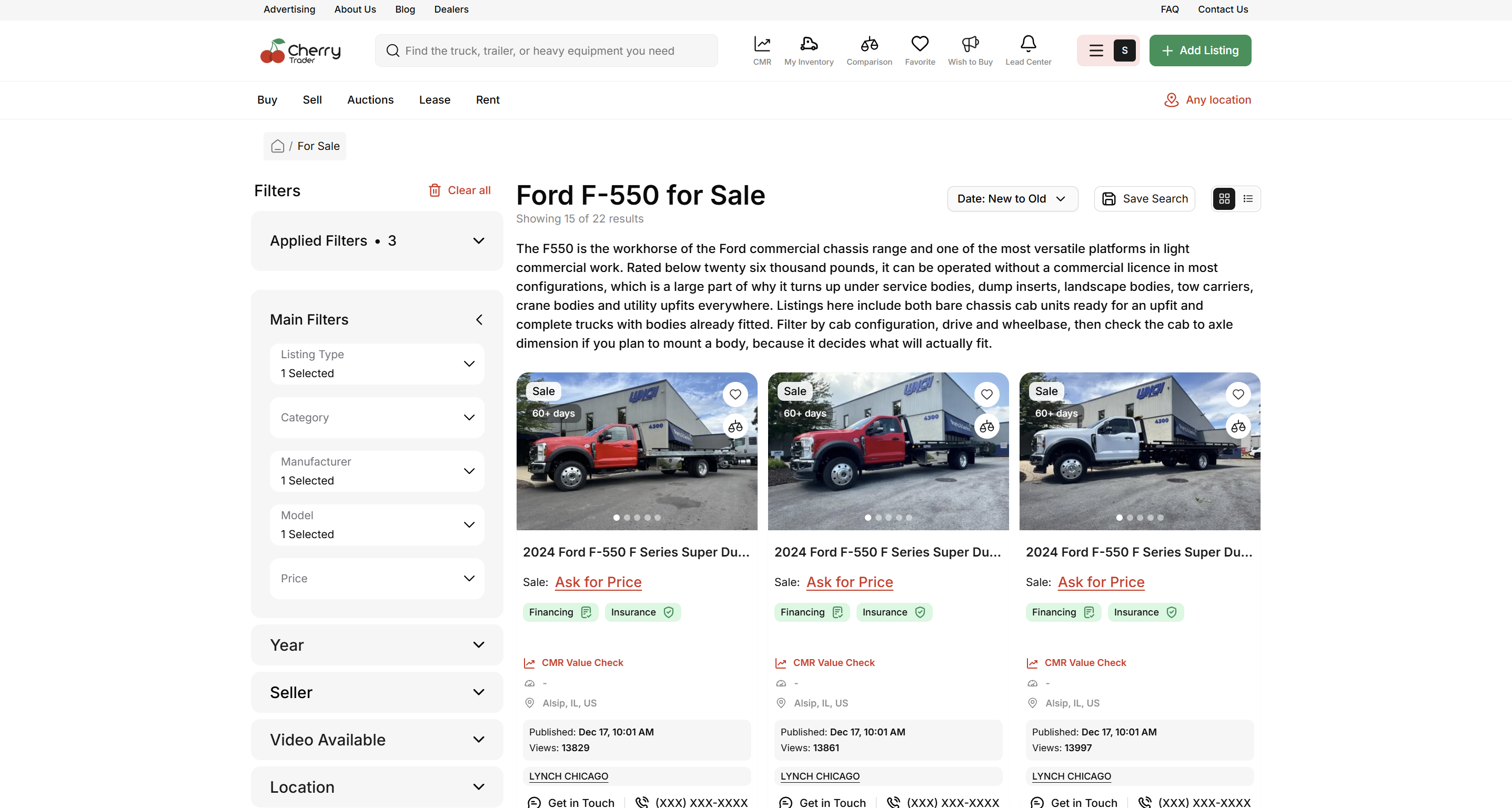
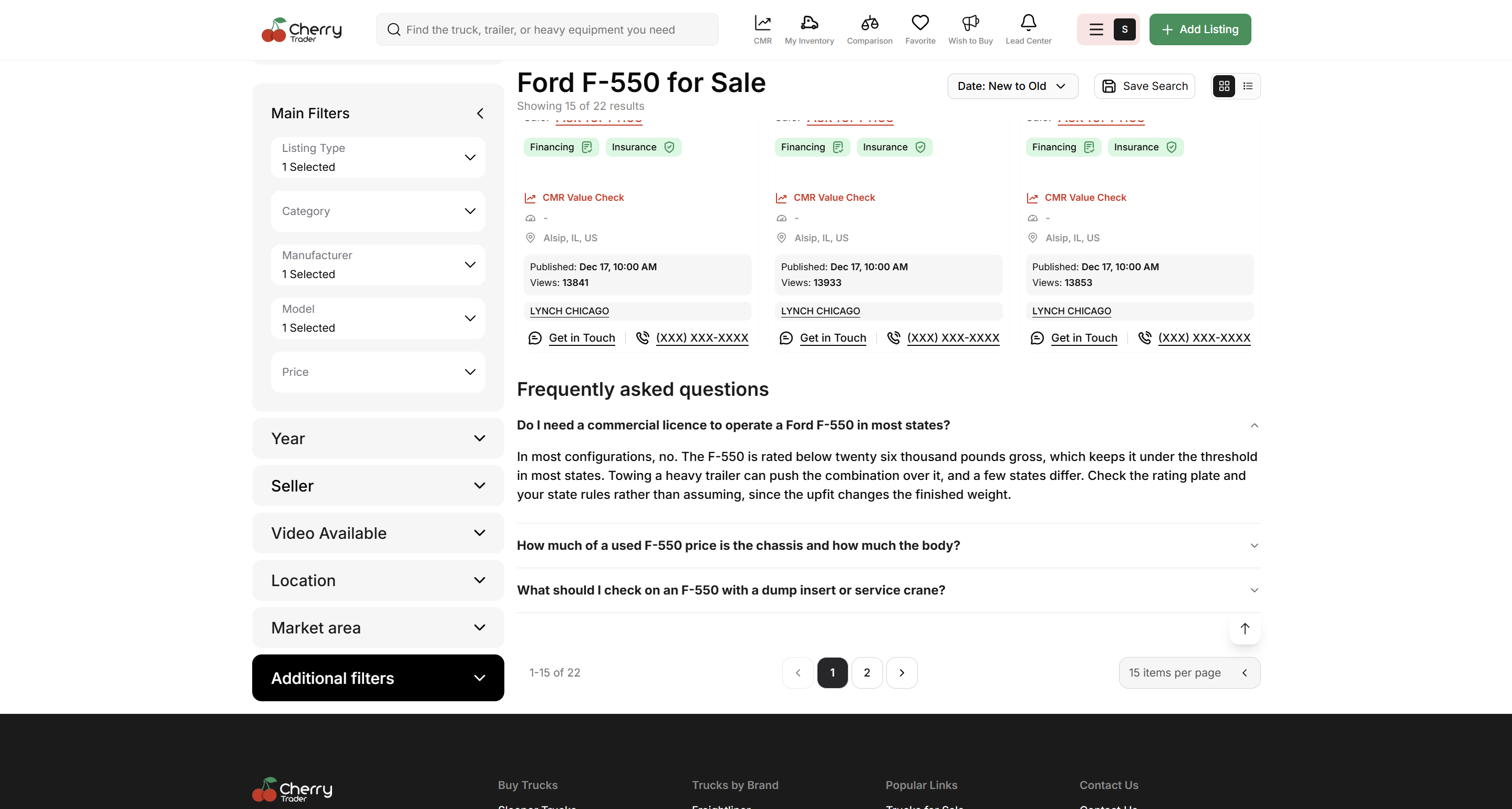
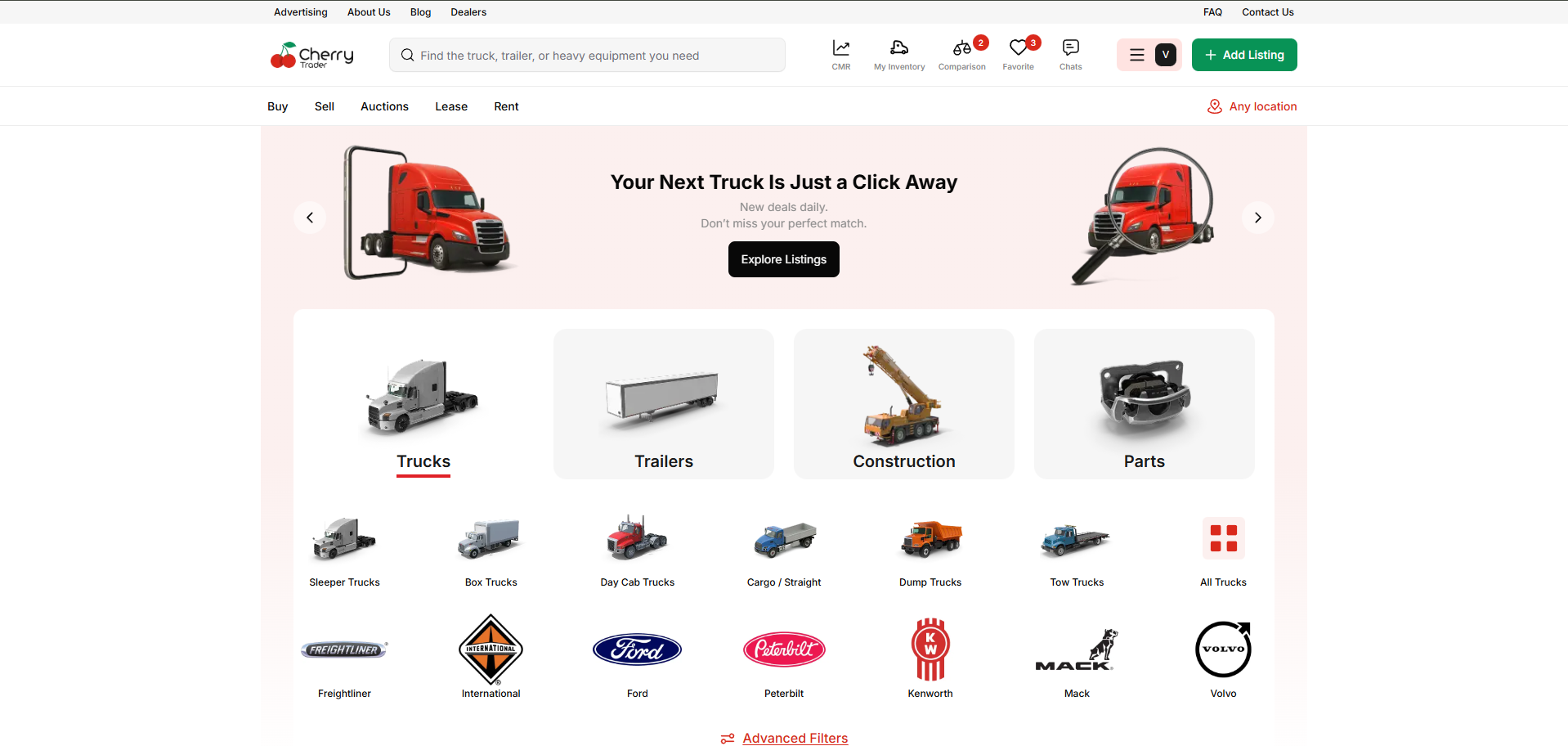
Added category bubbles to “Recent Listings” section.
Enhances filtering between Trucks, Trailers, Equipment, Construction.
Platform: Web
Filters chosen from homepage correctly transfer to catalogue.
Fixed missing URL parameters & state hydration issues.
Platform: Mobile Web
Replaced broken library.
Fixed inability to deselect or select multiple items.
Platforms: iOS, Android
Consistent popup design added.
Works on Add Listing, Edit Listing, and Draft flows.
Platforms: Web, iOS, Android
“Sold” listings remain visible for 2 weeks with a sticker.
Updated styling across platforms.
Platform: Web
iFrame testing environment built.
AAA Lease whitelisted
Show iFrame script only to admin users.
Platforms: Web, iOS, Android
“Mark as sold” button now works across platforms.
Edit listing page no longer reopens automatically after publishing.
Fixed error page when clicking listing image on New/Edit page.
Fixed rejected status card in listings hub.
Fixed “Updated” date removal on Android Edit Listing.
Verify Code email now uses {{username}} dynamically.
The user can’t log in by phone number — fixed.
Phone number verification fixed.
Hide “Individual” for business-only accounts.
Empty profile pages after session end — fixed.
Social network fields now require http:// or https://
Fixed arrow on catalog page.
Limited catalog filters to only valid available values.
Fixed pagination in “Listings for Approve”.
Fixed catalog listing count inconsistency.
Manufacturer search for Ford now works.
Sentry backend errors resolved:
Invalid character 'u'
Invalid character 'o' in literal null
Platform: Web
Allowed embedded YouTube links in Blog.
Fixed broken blog banners.
Fixed Wishlist tooltip hiding behind modal.
Fixed clickable area of “Remember me” overlapping beyond label.
Fixed 404 images in inventory (web support added).
Automatic Email to Sales Team on New User Registration
Daily Report Sending
Backend Click Tracking Enhancements
Remove ability to modify critical AUTH credentials
Backend filter without Status added
Change Michael Hall → Johnson
Add "Interior color" spec (BE-only exposure)
BE endpoints for Sign-In & Security
Clean-up + Sentry error fixes (JSON decoding, invalid chars)
November 19th, 2025
New
Improved
Fixed

This release delivers significant platform stability and numerous quality-of-life improvements across both the web and mobile experience.
User Acquisition
The new Marketing services page is complete and live.
Listing Management & Inventory
Completed the redesign and improvement of the Rework the "Saved Searches" functionality.
The "Submit Listing" pop-up has been refined for a better user experience.
Added Action buttons for listing in dashboard for quick management access.
Removed redundant options to update published dates when editing a listing.
Added Image Carousel Preview on Listing Cards.
Keep "Sold" Listings Visible for 3 Weeks with Stroke to clearly display recently sold items.
The message input text field will now automatically increase in size as the user types a longer message.
User Experience
Completed design and functional improvements for the Comparison Tool.
Implemented Go Back Navigation for a smoother user flow across the platform.
All 404 error pages have been cleaned up and standardized.
The functionality to Hide similarities slider is now working as intended.
Backend & Admin
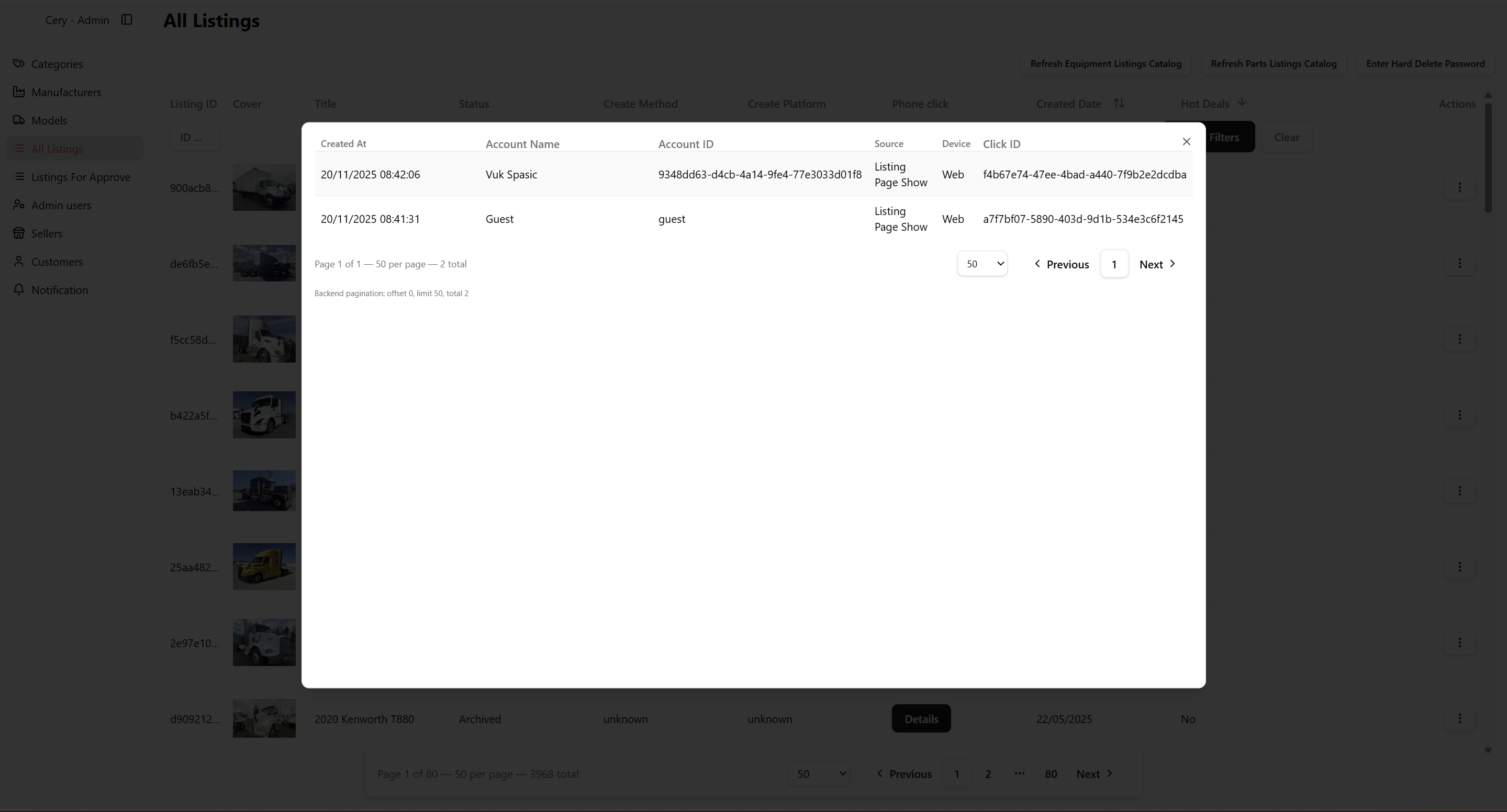
Added "Phone Clicks" Tracking in Admin Panel for better user behavior analysis.

Updated public seller settings to align with the new sign-up flow.
Login & Authentication
Fixed Google Sign Up and Sign In flow for new users
Fixed an issue preventing users from completing the login flow when attempting to use a phone number.
Addressed a security-related issue where iOS wishlist and comparison list were not updating/clearing upon user logout.
Visual & UI
Resolved a visual bug where some icons are displayed through the list with prices in the catalog view.
Fixed an inconsistency where the listing title's color was incorrect (the title has to be grey as the other part of the page).
Fixed a layout issue where a long title is under the price info, obscuring the price.
Addressed several general UI bugs on the create listing/asset page.
Removed the redundant $\text{*}$ element appearing if the category is construction.
Fixed an issue where any labels are not displayed at the listing image in the list view.
Core Functionality
Fixed a serious issue where a 500 error is displayed when user tries to delete account.
Resolved a bug where Business hours are not saved after form submission.
Fixed an issue that caused incorrect Chat order when user started a conversation.
Fixed the autofill function to correctly apply and save data in form fields.
On iOS, a clear error message is now displayed if birthday data is invalid.
Fixed the infinite loading icon issue that occurred after rotating one photo in the inventory.
Resolved the issue where the "Get started" page is displayed for the inventory after creating a listing instead of the intended view.
October 28th, 2025
New

We’ve updated our mobile experience to better reflect the distinction between Personal and Business accounts, aligning it with the desktop version. This ensures consistent visibility and profile behavior across all platforms, making it easier for users to manage their listings and account settings on the go.
We’ve introduced the first version of the Cherry Blog — a new space to share industry insights, platform updates, and educational content. The initial set of articles will be published as part of our marketing strategy in collaboration with the content team.
To help users stay informed about platform updates, we’ve pre-checked the newsletter subscription option on the sign-up form. Users can still opt out anytime, but this improvement ensures more people receive important updates, price changes, and new listing notifications.
We’ve refined how search filters work in the catalog. Now, filters dynamically adjust to show only the available data ranges for parameters like Year, Odometer, and Price.
This prevents users from selecting filter combinations that return empty results, improving search efficiency and overall user experience.
The sign-up process now includes a short question asking whether a user is interested in buying, selling, or both. This data is stored in our system and helps us personalize user experience and future communication. This improvement simplifies onboarding while providing valuable segmentation data for marketing and support.
We’ve standardized how phone numbers appear across the platform.
Numbers now follow a clear and consistent format — e.g., (708) 328-3341 — and include a clickable phone icon for quick access.
Additionally, we’ve added a small “Powered by Cherry Trader” label to reinforce brand visibility on embedded listing frames. This enhancement ensures a professional, unified look across web and partner integrations.
We’ve made several small but impactful usability improvements to filters across the catalog:
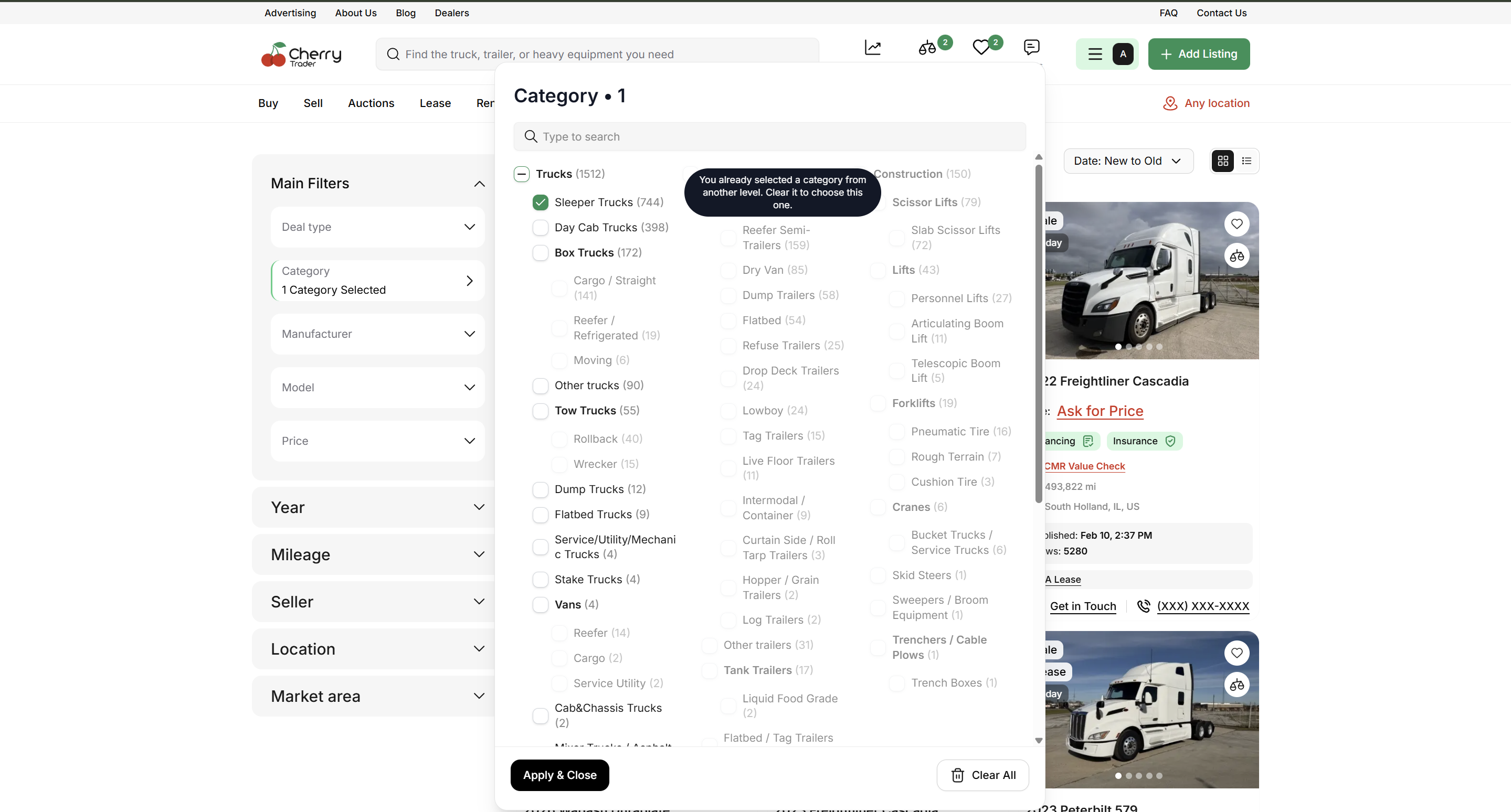
Added a “Clear All” button for faster reset.
Added loader to improve user experience when sending heavy requests.
Allowed to check the mother category.
Limited Filters to show only Available Data Range to avoid empty search results.
Enhanced the “Apply” button interaction to feel smoother on mobile.
These updates reduce friction and make adjusting search parameters more intuitive.
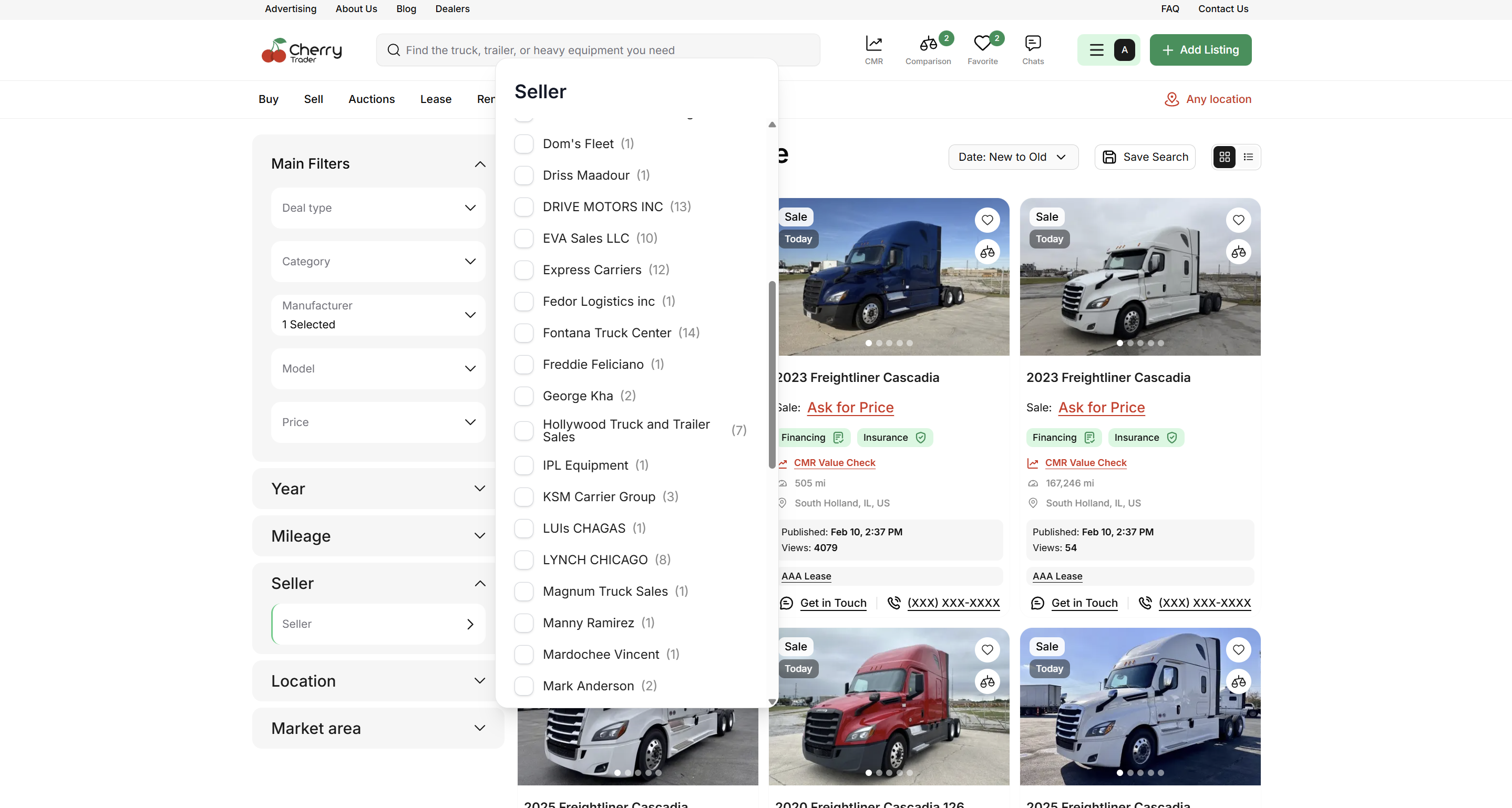
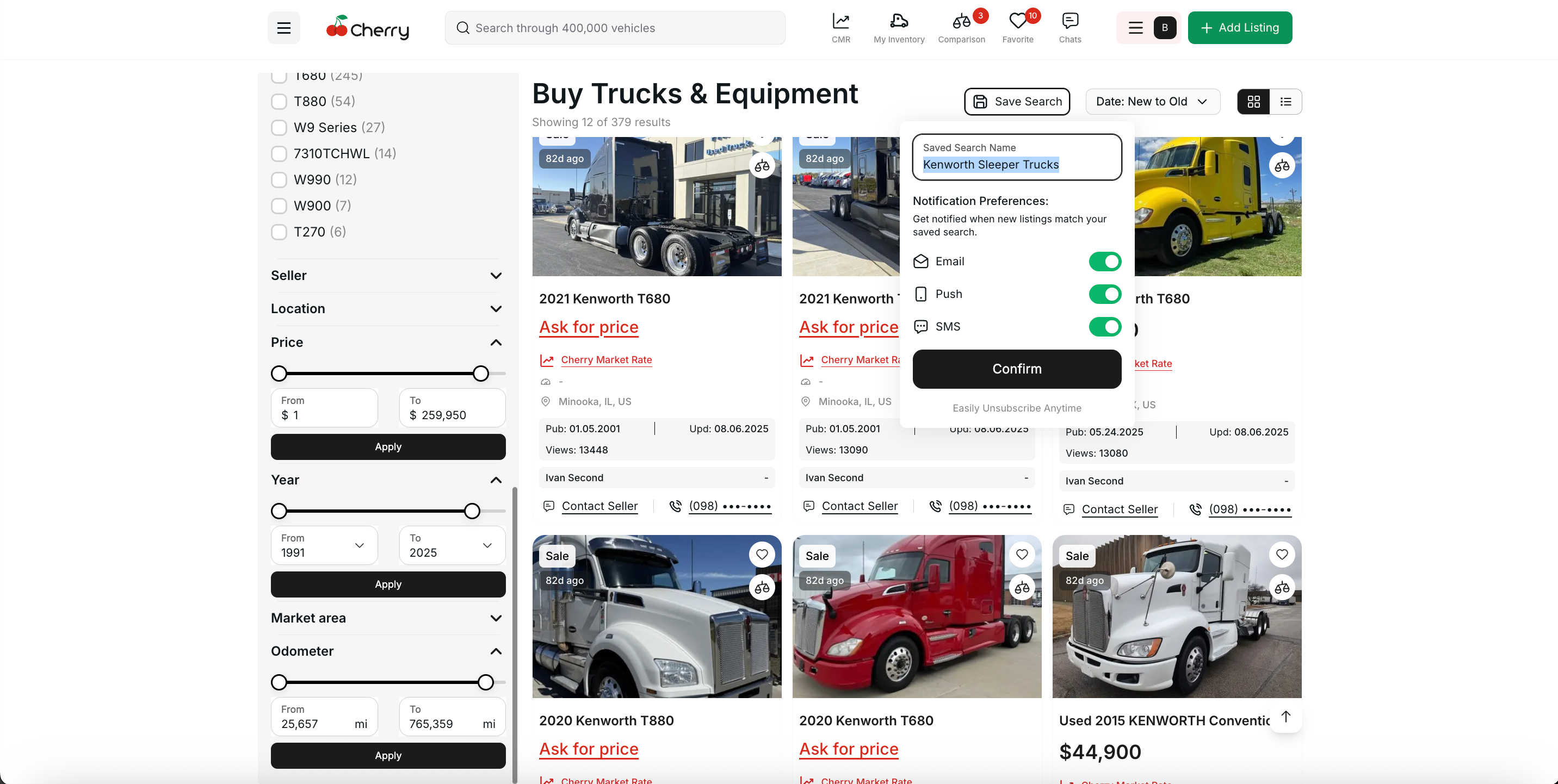
The Saved Search feature has been enhanced for smarter and more personalized notifications.
Searches now auto-populate names based on selected make/model or filters.
Added SMS notification support for new listings that match saved criteria (optional, off by default).
Users can manage all saved searches more easily with clearer naming and visibility of criteria.
These updates make it faster to save searches and stay informed about new opportunities.
We’ve refined the Add Listing workflow to make it more flexible and aligned with customer needs.
This update was initiated after feedback from a customer managing over 130 construction listings, where VIN numbers were often unavailable.
Now, the Category field appears first when adding a listing. When users select the Construction category, the VIN number field becomes optional.
Additionally, we’ve expanded the categories tree with new makes and models, making it easier to upload large batches of construction equipment without unnecessary validation steps.
October 21st, 2025
Improved
Fixed

Stripe Integration (Phase 1)
Technical groundwork for Stripe integration completed — enabling future user payment and engagement functionality.
Mobile Sign-Up Revamp
Mobile registration flow now reflects the web version, ensuring consistency and easier onboarding across devices.
Allow Users to Add a New Category
Users can now suggest new categories directly within the “Add Listing” flow for admin approval.
![]() | ![]() |
![]() | ![]() |
![]() | ![]() |
![]() |
Suggested Categories in Admin Panel
Admins can view and approve user-suggested categories during listing review with parent-category assignment.
Improved Account Type Switcher Design
Introduced new colors and clear visual distinctions between personal and business accounts.


Add Listing / Inventory Photo Guide
Added a visual guide to help users capture optimal vehicle photos during listing creation.


Track Who Approved Listings
Admins can now see who approved a listing and when — improving accountability.


Personal vs Organizational Accounts
Feature finalized and deployed to staging — users can now clearly differentiate account types.
Merge Duplicates in Admin Panel
Admins can now merge duplicate models directly from the panel, improving data cleanliness and performance.
Make Dropdown Separator
Introduced visual separators in Make/Model dropdowns to simplify scrolling and selection.

Mandatory Contact Fields
Phone number and email are now mandatory during registration. Google sign-up removed (limited data provided).

Business Type Sign-Up Improvements
Enhanced visibility for business-type selection and improved option clarity in the sign-up form.

Filtering on Android
Filter labels (Year, Price, Odometer) now have better visibility for Android users.
Wishlist Limit Visibility
Added clear notice for users — the system now displays a message when trying to add more than 50 listings.

Comparison Page on Mobile
Updated comparison layout to be more intuitive and mobile-friendly.
Logout & Security on Mobile
Rearranged mobile menu and enhanced logout process to help users manage sessions and security more clearly.
Loader Added to Sign-Up Flow
Introduced loaders for key sign-up pages to enhance engagement and reduce perceived wait times.
Ongoing Bug Fixes
Addressed multiple reported issues per QA documentation
September 30th, 2025
New

Listings & UX
Better pagination & filters.
Hidden phone number logic reworked.
Inventory identifiers now visible under listing titles across web + mobile.
Auction flow improved: declined → draft, duplicate chat fixed, button states cleaned.
Added ability to enter feet and inches in one field.
Removed mandatory fields from deposit and mileage allowance.
Improved showing makes according to category chosen.
Data Quality & Reliability
VIN validator refactor, reduced false errors and duplicates.
Mileage validation unified, several 500s removed.
Photo/media bugs fixed, endpoints moved to reference service.
Admin Panel
Mapping v2: connect categories ⇄ makes/models/years.
Notifications admin fixes, source tracking, general stability.
CMR (Cherry Market Rate)
Year range logic simplified, unified across pages.
Mileage parsing + open-via-link bugs resolved.
Mobile
iOS: summary dashboard, safer edit/publish, permission/crash fixes, back button + data persistence.
Android: button state updates, VIN/save errors, address autofill, engine-make display, dropdown fixes.
Platform & Content
Downtime/maintenance banner.
First blog post published.
Hot Deals & navigation updates.
Anything in Motion integration completed.
April 29th, 2025

We’re excited to introduce the Cery Chat System — a fully integrated, real-time messaging tool designed to keep your conversations organized and connected to your listings
💬 Why This Matters:
No more switching between emails or phone calls. Whether you’re a buyer asking about equipment details or a seller managing multiple inquiries, our chat keeps everything in one place — with full context linked directly to your listings.
🗂️ Centralized Chat List
View all your conversations sorted by most recent activity.
Instantly recognize chats with listing thumbnails, contact names, and message previews.
Use filters to focus on unread messages and never miss an important inquiry.
💬 Real-Time Messaging
Messages update live — no refresh needed.
Clear, intuitive chat layout with timestamps and delivery indicators.
Quick access to the related listing via the “Open Listing” button in every chat.
📱 Fully Responsive
Stay connected on-the-go with a mobile-friendly design.
Manage your communications seamlessly from desktop, tablet, or smartphone.
For Buyers:
Get fast answers about condition, pricing, or auction terms.
Communicate confidently before making offers or placing bids.
For Sellers:
Keep track of all potential buyers in one streamlined interface.
Respond faster with full visibility of which listing each conversation is about.
April 7th, 2025

We’re excited to introduce a completely reimagined Garage — your personal command center for managing equipment on Cery.com.
From inventory control to live listings and CRM integration, everything is now smoother, smarter, and faster.
🔗 Seamless HubSpot Sync — Keep your inventory aligned with your CRM — in real time.
📤 One-Click Publishing to Cery.com — Create a listing directly from your Garage with just one button.
📊 Revamped Metrics Table — All key data at a glance: performance, status, and more — beautifully organized.
🖼️ Upgraded Photo Gallery — Effortlessly upload, manage, and preview your asset photos.
🔸 Add an Asset — Fill in all essential details using a clean and intuitive form.
🔸 List It Instantly — Publish directly to Cery.com with just one click.
🔸 Stay Organized — Use the upgraded table to manage, filter, and monitor your inventory with ease.
🔸 Sync Seamlessly — Connect to HubSpot and keep your sales pipeline fully aligned.
The new Garage is designed to give you more control, better visibility, and faster workflows.
Ready to take it for a spin? Head to your Garage and explore the upgrade.
February 14th, 2025

We’re thrilled to introduce Rent & Lease Listings, giving users more flexibility in acquiring equipment. Whether you’re looking to rent a truck short-term or lease it for a longer period, this new feature makes it easy to find and manage rental options directly on Cery!
✅ List Equipment for Rent or Lease – Owners can now post their trucks and equipment for short-term or long-term rental.
✅ Weekly & Monthly Pricing – Set flexible rental rates based on weekly or monthly terms.
✅ Rent & Lease Filters – Easily find rental options using new filters in the search results.
✅ Integrated Chat for Negotiation – Discuss terms, request additional details, and finalize agreements through chat.
1️⃣ Post a Listing – When adding a new listing, choose Rent or Lease instead of "For Sale."
2️⃣ Set Your Terms – Define weekly and monthly pricing.
3️⃣ Receive Inquiries – Buyers can reach out, negotiate, and finalize details via chat.
4️⃣ Close the Deal – Confirm the rental or lease and get your equipment working!
🔜 Schedule & Availability Management – Easily manage when your equipment is available for rent.
🔜 Digital Contract Signing – Finalize rental agreements seamlessly within the platform.
🔜 Insurance & Payment Integration – Secure and manage payments directly through Cery.
Try it out now and explore a whole new way to rent and lease equipment hassle-free! 🏗️💼
February 13th, 2025

We're excited to introduce the Comparisons feature, making it easier than ever to evaluate multiple listings side by side! Whether you're deciding between similar trucks or analyzing different deals, our new comparison tool gives you a clear breakdown of key details.
✅ Compare Up to 6 Listings: Select multiple vehicles and see their specs, pricing, and key details side by side.
✅ Side-by-Side Analysis: Easily compare year, mileage, price, CMR value, and other important attributes.
✅ Save for Later: Keep your comparisons and revisit them anytime.
✅ Quick Access from Listings: Simply select a truck and click "Compare" to add it to your list.
1️⃣ Browse listings and select the ones you're interested in.
2️⃣ Click the Compare button to add them to your comparison list.
3️⃣ View the comparison table with all relevant details, making decision-making easier.
February 13th, 2025

📅 Release Date: [Dec 30, 2024]
🚀 New Feature: Online Auctions
We’re excited to introduce Online Auctions on Cery, bringing real-time bidding, transparency, and better deals for both buyers and sellers!
✅ Live Bidding – Place bids in real-time and compete for the best deals.
✅ Auction Timer – Track auction end times and never miss a bid.
✅ Bid Notifications – Get alerts when you’re outbid or when an auction is closing soon.
✅ Reserve Price Protection – Sellers can set a minimum price to ensure fair sales.
✅ Buy Now Option – Instantly purchase auction items at a set price.
✅ Auto-Bid (Proxy Bidding) – Set your max bid, and we’ll bid on your behalf up to that amount.
✅ Transparent Bidding History – View past bids for full auction transparency.
1️⃣ Browse live auctions in the listings section.
2️⃣ Place Your Bid or use the Auto-Bid feature to stay ahead.
3️⃣ Win & Complete Purchase – If you're the highest bidder when the timer ends, finalize the deal seamlessly.
Start bidding today and experience the excitement of online auctions on Cery! 🚀🔥